
Free before and after photo maker
Pick a before photo and an after photo, choose side by side or stacked, type your labels and download the result. This page opens the photos in your browser and never sends them to a server, so you can use it with body and skin photos you would not upload anywhere.
Your photos stay in this browser tab and are never sent to a server.
Add two photos to see the comparison here.
How the maker lays out your two photos
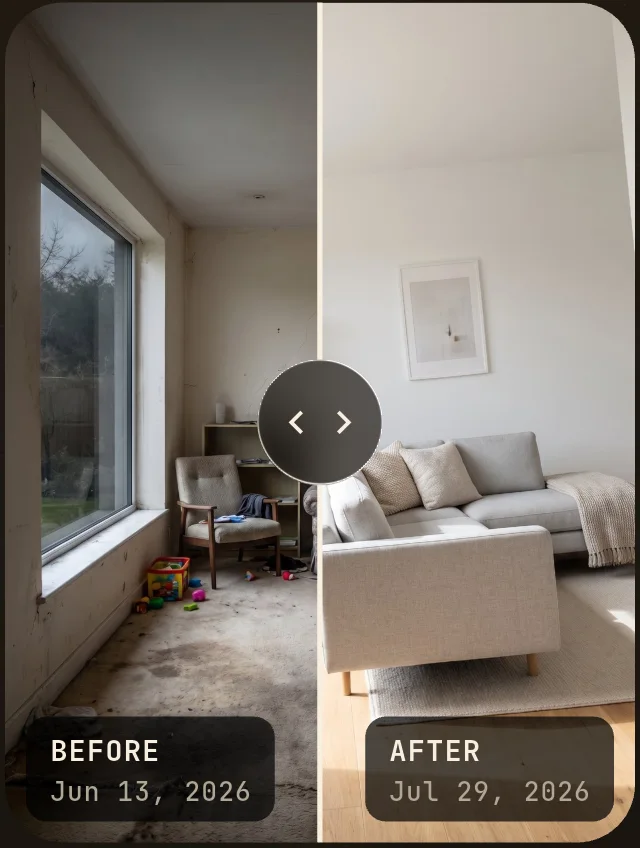
Side by side, both photos are scaled to the height of the taller one; stacked, both are scaled to the width of the wider one. Each keeps its own shape, so nothing is cropped or stretched, and each label sits in the bottom left corner of its photo on a dark tag that stays readable on light and dark images.
Download a PNG for the sharpest copy, or a JPEG when you want a smaller file to send or post.
Tips for a clearer comparison
- Side by side suits tall photos such as a full body shot or a doorway. Stacked suits wide ones, such as a room or a garden bed, and both keep the final image close to square.
- Use the same crop on both photos, or the eye reads the crop as the change.
- Keep labels short. A date or Week 12 reads better on a phone screen than a sentence.
- Switch off the light background for a dark gap, which suits night shots and dark rooms.
Before and after maker questions
How do I make a before and after photo?
Add the before photo and the after photo above, pick side by side or stacked, type a label for each and download the image as a PNG or JPEG. For the comparison to mean something, take both photos from the same spot, at the same height and in similar light.
How do I put two photos together as a before and after?
Load one photo into each slot. Side by side scales both to the same height and stacked scales both to the same width, each keeping its own shape, with a gap you can set between them. Swap changes which photo comes first if you loaded them the wrong way round.
Does this upload my photos anywhere?
No. The page opens your files in the browser and draws them on a canvas on your own device. The files are never sent to a server or stored, and closing the tab clears them.
Is there a watermark?
No. The export contains your two photos, the gap between them and any labels you typed, and nothing else.
What size does it export?
Side by side, the image takes the height of the taller photo, up to 3,200 pixels, and scales the other photo to match. Stacked, it takes the width of the wider photo, up to 2,400 pixels. Two 3,000 pixel tall phone photos side by side export at 3,000 pixels tall.
Why do my two photos not line up?
They were taken from slightly different positions, distances or heights. A layout can put them next to each other, and the difference still shows. The alignment checker shows where the camera moved, and lining up the next pair at the camera, with the before photo shown faint over the live view, keeps it from happening again.
Can I use it for gym, renovation or plant photos?
Yes. Any two images work, and the maker lays out whatever you give it.
Get SameShot on Google Play
Your before photo sits faint over the live camera so the after photo lines up.

SameShot: Progress Photo Cam
By Appynox, on Google Play

Free with ads; a single Premium payment removes them. Needs Android 8.0 or newer.