
Start a project
One project per thing you track. Front, side and back each get their own.
Ghost overlay camera · Free on Google Play
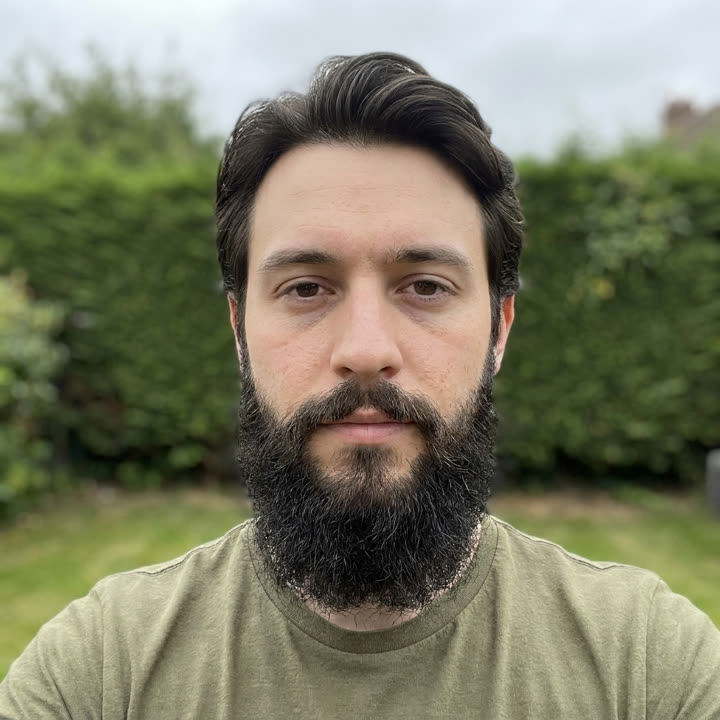
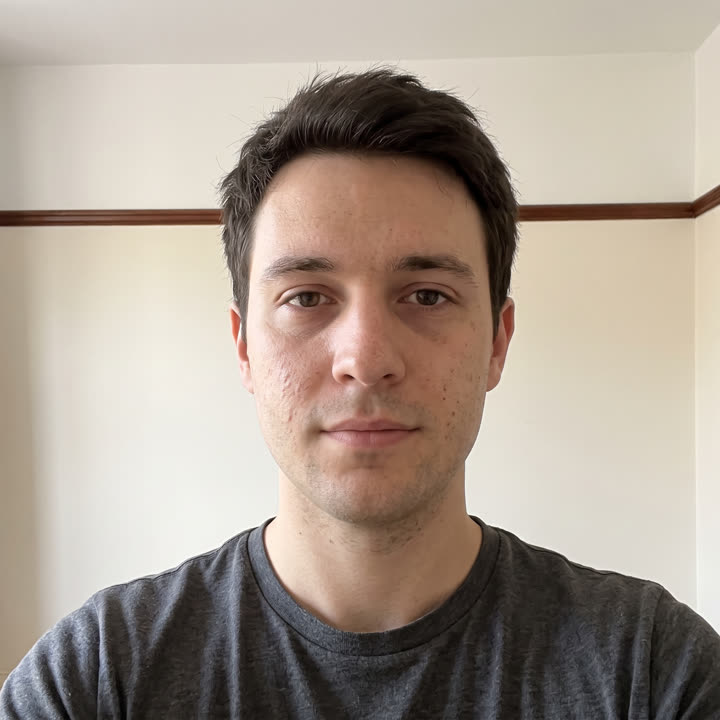
One selfie a day, anywhere. Face mode locks onto your face instead of the room, so six months of different kitchens, hotels and streets still play back as one steady shot.
SameShot is used for gym progress, weight loss, daily selfies, skin, beard and hair growth, pregnancy, braces, babies and pets, transition timelines, tattoo healing, renovation and DIY, plants and gardens, and art in progress.
A year, in six seconds
A bathroom, a car, a gym, a supermarket, a street at night, the sea, snow. Twenty ordinary days in twenty different places, and his eyes land on the same pixels in every single frame.
That is the whole point of face mode. You do not have to find the same wall again, or own a tripod, or remember where you stood. You just take the photo.
01 — Why most before and afters fail
A step closer, a shoulder turned, the phone an inch lower, and twelve weeks of real change reads as two unrelated photos. The problem was never the camera. It was that nothing held the last shot in front of you while you took the next one.
02 — How it works
You already know how to take a photo. SameShot adds the one thing a camera has never had: a memory of the last one.
One project per thing you track. Front, side and back each get their own.
Mark where you stand and where the phone sits. This frame becomes the guide.
The old shot appears faded over the live camera. Line up, then shoot.
Drag the slider, or turn the whole run into a vertical time-lapse reel.
03 — The one bold move
The overlay opens at 40% and you drag it from there. Bright room, dark subject, a wall the same colour as your shirt: every awkward case is one slider away from workable.
04 — Not just gym
Real footage, locked frame, nothing moved but the subject. Tap through and watch what happens when the camera stops drifting.
Fitness · bulking · cutting · recomp
Bulk, cut and recomp shots that line up week after week. Bodies change slowly and daily photos mostly capture water, food volume and lighting. Weekly is frequent enough to see the trend and slow enough that each photo shows something new.
Glow-up · face time-lapse · daily selfie
A year of selfies that plays as one smooth movement. Faces are the opposite of bodies. Skin, hair and beard change on a daily scale, and a daily photo is short enough to stay a habit. Miss a day and the reel barely notices.
Plants · seedlings · garden beds · grow journal
A season of growth that plays as one movement. Seedlings visibly change day to day and produce the most satisfying reels. Established plants and garden beds move on a weekly scale.
Renovation · remodel · DIY · trades
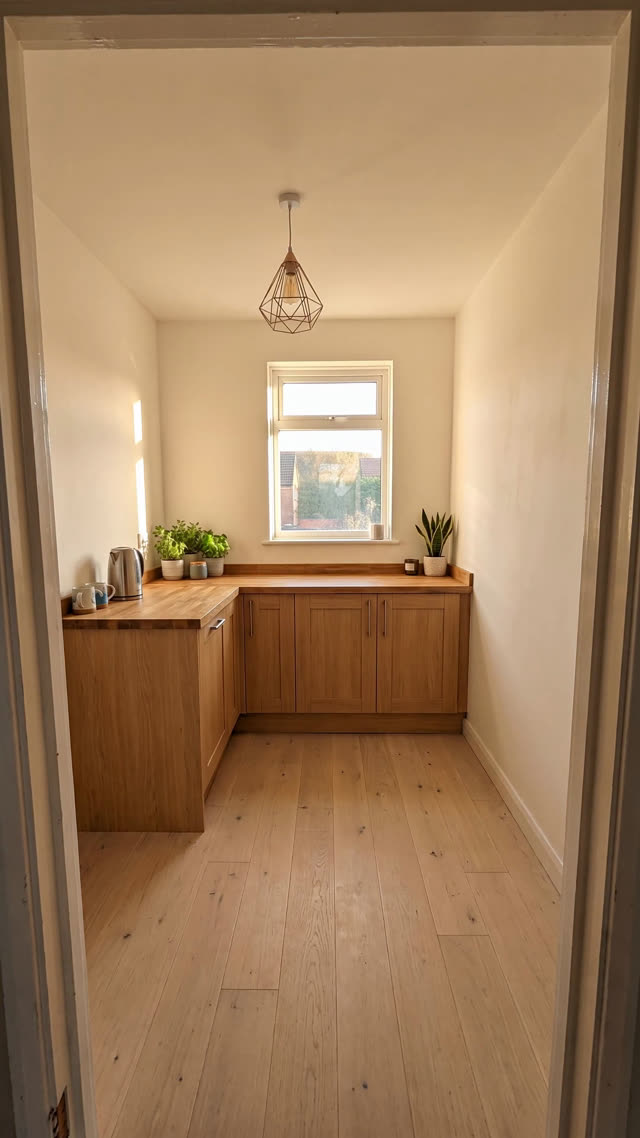
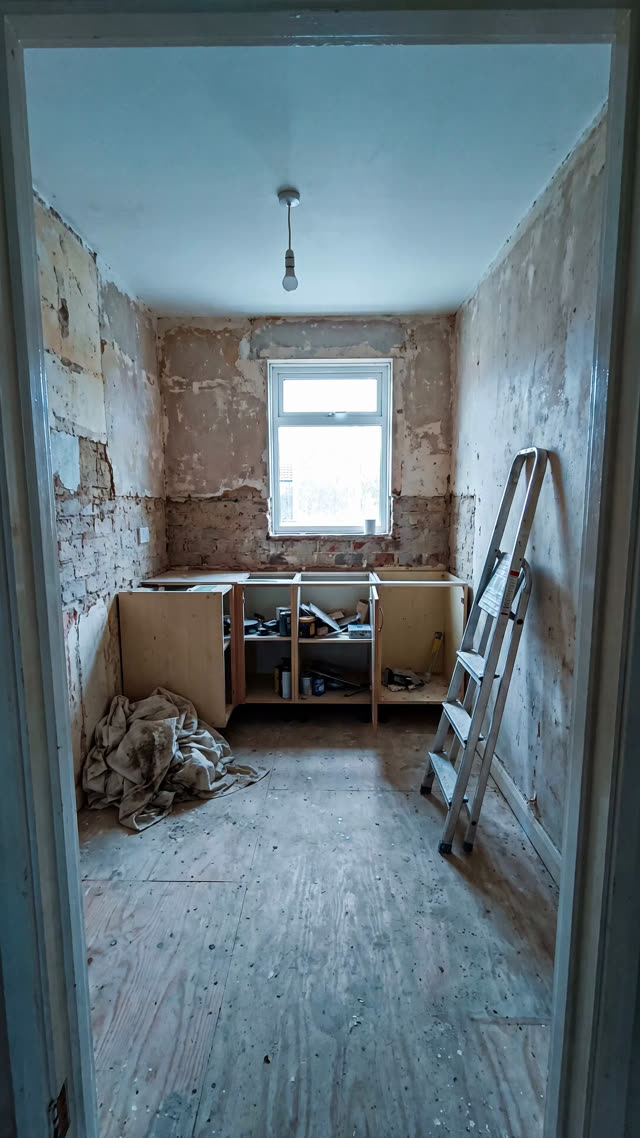
The before and after that sells the job. Rooms change in visible steps rather than gradually, so shooting per session captures each step. The photos also double as a record of what was behind the wall before it was closed up.
05 — What you get out
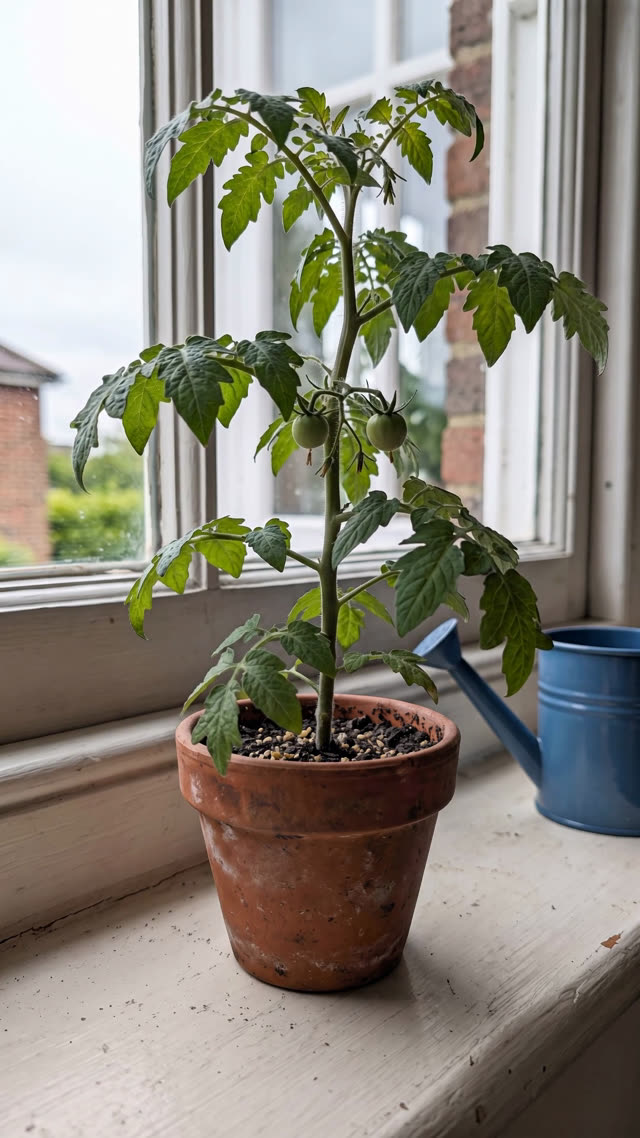
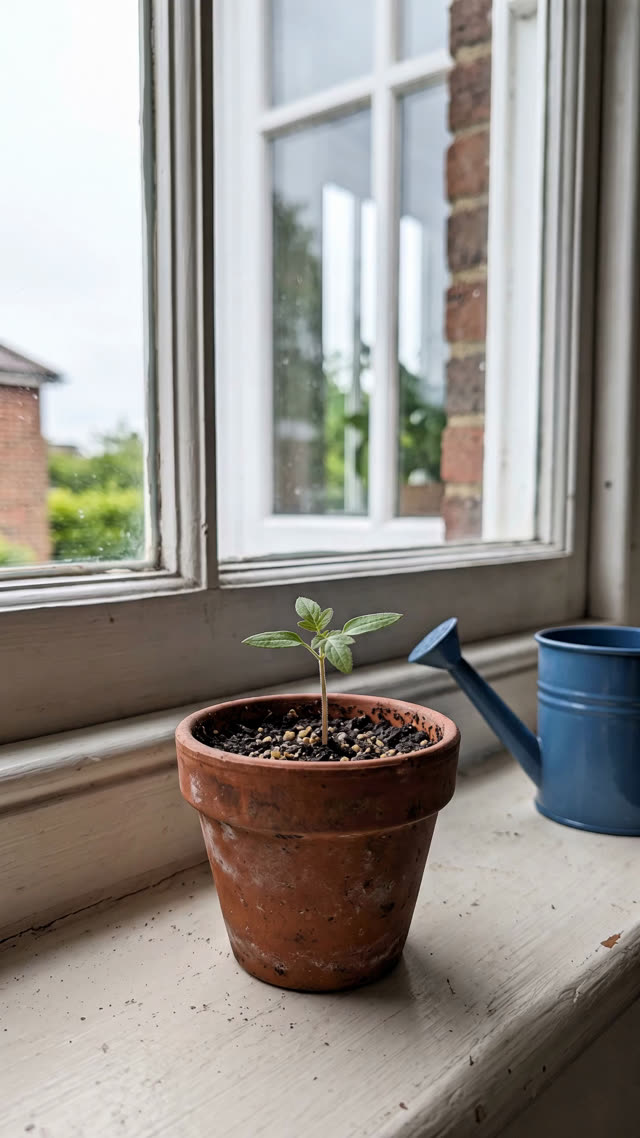
Drag between the first shot and the latest one. Because the frames match, the wipe reads as change rather than as a cut between two photos.
9:16 out of the box, sized for Reels, Shorts and TikTok.
First shot against latest shot as one image, ready to send.
Every frame, in order, at full resolution. Yours, on your device.
06 — Where the photos go
Progress photos are personal, and plenty of them get taken in a bathroom mirror. So SameShot was built without a backend at all. Not "encrypted in transit" — there is no transit.
Face and pose detection run on the phone with on-device ML. There are no analytics SDKs and no ad SDKs, so the privacy label is simply Data Not Collected. Turn on App Lock and the app asks for a fingerprint, face or PIN before it opens.
07 — Against doing it by hand
| Aspect | Phone camera and discipline | Camera with a grid | SameShot |
|---|---|---|---|
| Framing the next shot | From memory, or by flicking back to the old photo | Thirds lines, which know nothing about your last shot | The actual previous photo, live in the viewfinder |
| Angle drift over months | Creeps in, obvious by photo ten | Reduced, still free to wander between the lines | Caught before the shutter fires |
| Hands free | Self timer and a guess | Self timer and a guess | Auto capture fires on alignment |
| Shooting in a different room | The background moves, so nothing matches | No help at all | Face mode anchors to you, not the room |
| Getting a time-lapse out | Export, sort, import to an editor, align by hand | Same | One export, already aligned and in order |
| Where the photos live | Camera roll, and whatever backs it up | Camera roll | On the device only. No account, no upload |
08 — Everything in the app
Your last photo sits faded over the live camera. Move until you match it, then shoot.
Turn it on and stop tapping. The shutter fires the moment the frame is lined up.
Locks onto your face, not the room, so a daily selfie lands the same in a kitchen or a hotel.
Drag with your thumb to wipe between the first shot and the latest one.
Months of photos become a vertical 9:16 video, sized for Reels, Shorts and TikTok.
Front, side and back each get their own project and their own ghost.
A daily nudge and a streak counter, because the habit is the hard part.
Prop the phone, step back, and let the timer take the shot hands free.
Fingerprint, face or PIN before the app opens. Optional, and entirely on device.
Pull photos you already took into a project and backdate the timeline.
09 — Honest limits
Half the apps near this one promise to read your body from a photo. This one does not, and saying so plainly is more useful than a feature list.
10 — Free, no signup
Drop two photos in the browser, get a side by side or a swipe comparison. Nothing uploads.
How many photos, at what cadence, to get a smooth video of the length you want.
Answer four questions, get the shooting routine for your subject and a setup checklist.
Questions
SameShot is a progress photo camera. It shows your previous photo as a faint ghost over the live viewfinder, so each new shot lands on the same angle, distance and framing as the last one. The aligned photos then become a before and after slider or a vertical time-lapse reel.
A normal camera captures one moment with no memory of the last one. SameShot works before the shutter fires: it holds your previous shot on screen so you can match it. That is the difference between two photos and a real comparison.
Anything that changes slowly and stays in one place. Gym progress, weight loss, daily selfies and glow-up timelines, skin and acne, beard growth, hair growth and transplant recovery, pregnancy bumps, braces and aligners, babies, toddlers and pets, transition timelines, tattoo healing and physical therapy, home renovation and DIY, and gardens or plants.
No. SameShot has no account system, no backend server and makes no network calls at all. Every photo stays in local storage on your device, and the face and pose detection that steadies the frame runs entirely on the phone. The app works with the phone in airplane mode.
Yes. Everything happens on the phone. You do not need a connection to shoot, compare or export.
Yes. Any run of aligned photos in a project exports as a vertical 9:16 time-lapse reel, sized for Reels, Shorts and TikTok, plus a side by side or swipe-reveal before and after.
Yes. SameShot is free to download on Google Play, with no account and no subscription required to use the ghost overlay camera, the before and after slider or time-lapse export.
Android yes, iPhone not yet. SameShot is live on Google Play for Android. The iOS version is in development and is not on the App Store, so anything claiming to be SameShot for iPhone today is not ours.
Free · Android · iOS in development
Free, no account, and nothing to sign up for. Install it, start a project, and take the one photo you cannot go back for.

SameShot: Progress Photos
Appynox · Lifestyle
Before and after photos that line up. Ghost overlay camera, AI auto capture.
Free, no account, nothing uploaded. Android 8.0 and above.