
A before and after photo app that lines up the after shot
SameShot by Appynox is a free before and after photo app for Android. When you take the after photo, the before sits faint over the live camera, so you can stand in the same spot, hold the phone at the same height and match the angle before you shoot. The pair then plays back as a slider, a side by side image or a time lapse video.
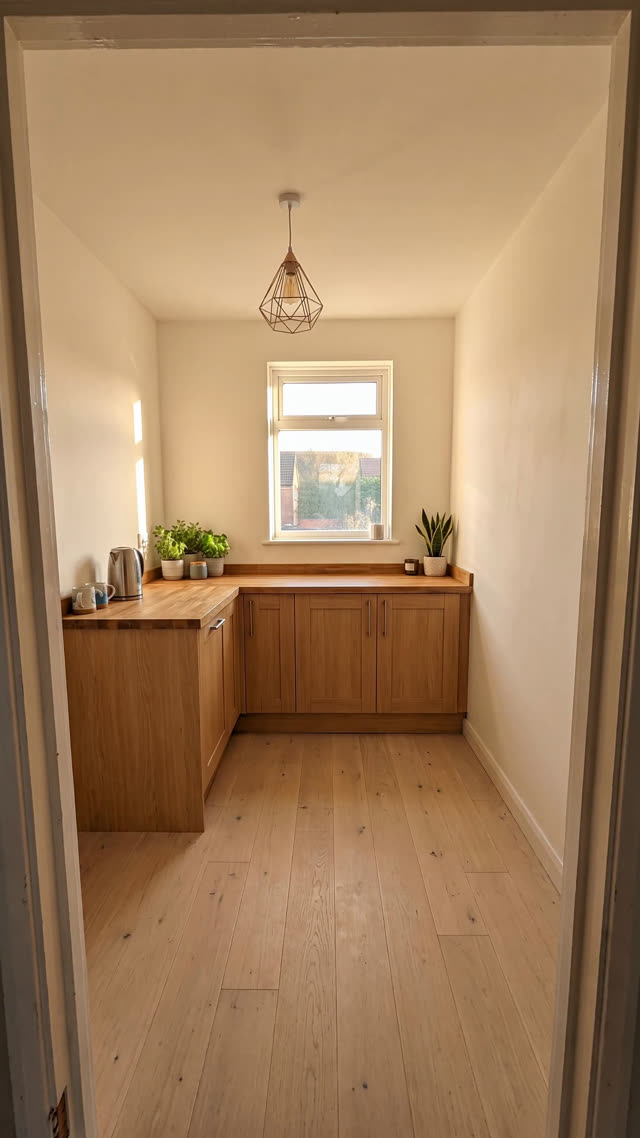
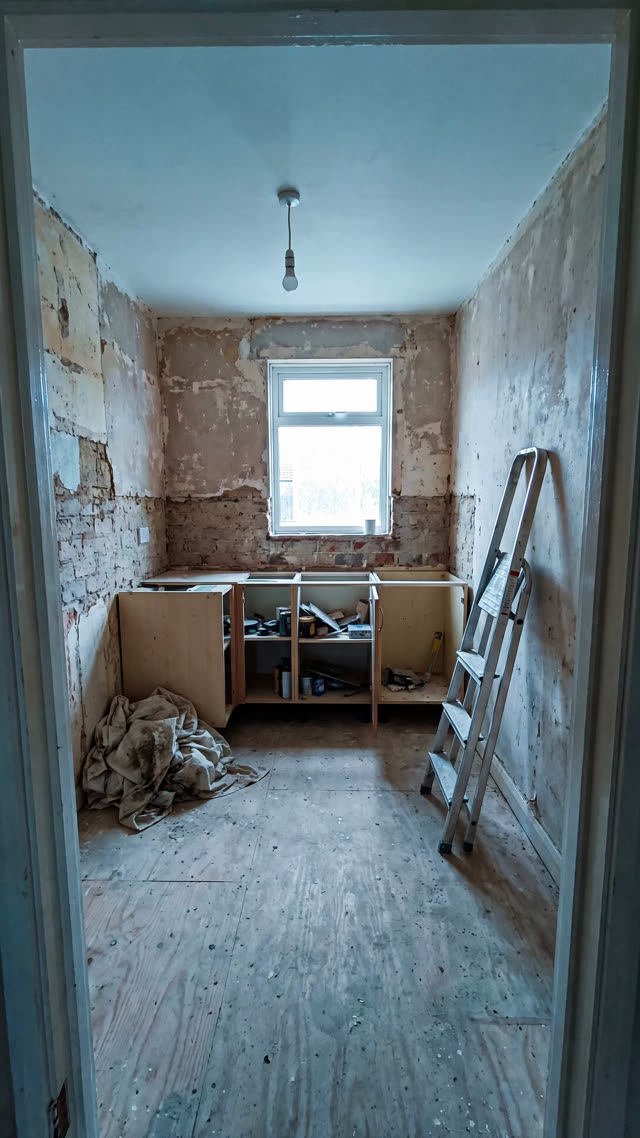
Why before and after photos rarely match
The before photo usually happens on impulse: the morning the builders arrive, the first week at the gym. The after gets taken months later from wherever you happen to stand, and by then nobody remembers how high the phone was or which way it pointed.
Four things decide whether the pair compares: distance, camera height, angle and light. A step closer makes the subject look bigger, a lower phone stretches legs and walls, and a few degrees of turn shows a different side. Only light can be partly corrected in an editor, and cropping hides a framing difference by cutting the edges off. More on each: why your before and after photos do not match.
How the before photo becomes the guide for the after
SameShot keeps the last photo of a project on screen while you take the next one. In a before and after, that last photo is the before.
- Start a project and take the before photo from a spot you can find again, such as a doorway or a shelf for the phone.
- For the after, open the same project. The before photo appears over the live camera at 40% opacity, and the slider on the left moves it anywhere from 0 to 100%.
- Move until the edges in the ghost sit on the edges in the live view, then shoot, or turn on auto capture and the shutter fires by itself once the frame lines up.
- SameShot then lines the new photo up with the first one, and a thin red, amber or green line shows how well it matched (Good, Fair or Poor in the full-screen viewer).
Face mode follows your face, so a skin or beard photo lands in the same place in any room, and Plant Growth projects line up the rim of the pot.
What people use a before and after camera for
- A renovation or DIY job has its before on the day work starts. Use the same doorway for every photo and keep the phone level, so the walls stay straight.
- Gym and weight loss photos work best as separate front, side and back projects, each with its own ghost (Free keeps one project; Premium has no limit). Type a weight or waist with each photo and the before and after screen shows both numbers and the difference.
- With skin, hair and beard growth, face mode keeps the face in the same place in the frame.
- Plants line up by the pot, so a seedling and the grown plant sit in the same spot.
It also works for a pregnancy bump, braces, a baby or a pet, and a tattoo as it heals.
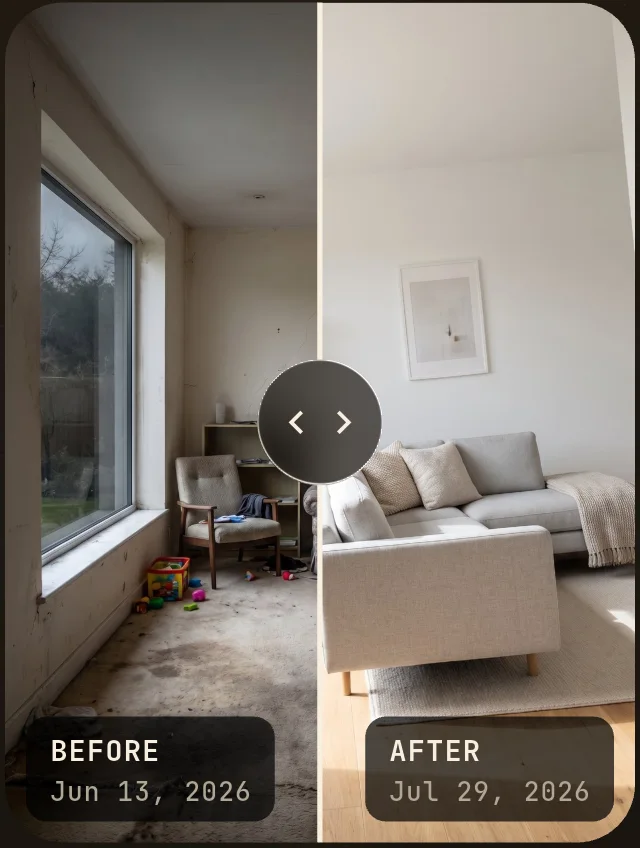
What SameShot makes from your before and after photos
- Before and after slider
- Drag your thumb across the photo to wipe between the first shot and the latest one, with the date of each on a chip.
- Side by side image
- The pair as one image in your gallery, with an optional stamp: the date, Day 12, Week 6 or your own label.
- Time lapse video
- Every photo in the project as one video, so the steps in between show too. Shoot in 9:16 and it is ready for Reels, Shorts and TikTok. Free renders in HD (up to 1280 px) with hard cuts; Premium adds 1440 px, smooth transitions and reframing to another shape.
- Playback in the app
- Watch the project play through without exporting, and change the speed while it runs.
When you already have both photos
If both photos already exist, the free before and after maker on this site puts them side by side or stacked, with a label on each, and downloads one image. It runs in your browser and sends the photos nowhere. A layout cannot change the distance or angle either photo was taken from.
You can also import old photos into a SameShot project, where they slot into the timeline by date and are cropped to match your first shot; the next photo you take gets the ghost.
Questions about before and after photo apps
How do I create a before and after photo?
Take the before photo from a spot you can find again, such as a doorway or a tape mark on the floor. For the after, go back to that spot, hold the phone at the same height and match the angle, then put the two side by side or in a slider. SameShot shows the before photo faint over the live camera while you take the after, then makes the slider and a side by side image.
How to put two photos together before and after?
Any photo editor can place two images next to each other. The free before and after maker on the SameShot site does it in the browser: choose two photos, pick side by side or stacked, add a label to each and download one image. The photos are read on the page and sent nowhere.
Is there a before and after camera app for Android?
Yes. SameShot by Appynox is free on Google Play for Android 8.0 and newer. It shows your previous photo as a faint ghost over the live camera, so the after photo lines up with the before. The free version shows ads and keeps one project; Premium, a single payment, removes the ads and adds unlimited projects.
Can I use SameShot for a before and after on an iPhone?
Not yet. SameShot by Appynox is on Google Play for Android, and the iPhone version is in development; an unrelated iPhone app also called SameShot is made by Pinwheel Labs. On an iPhone today, the free before and after maker on the SameShot site works in the browser.
Get SameShot on Google Play
Take the before photo today and it becomes the guide for the after.

SameShot: Progress Photo Cam
By Appynox, on Google Play

Free with ads; a single Premium payment removes them. Needs Android 8.0 or newer.