
A ghost overlay camera remembers your last photo
A ghost overlay camera shows your previous photo, faded, on top of the live camera view. You move the phone or yourself until the two images line up, then take the shot. SameShot adds auto capture, which can press the shutter for you, and lines each saved photo up with the first one in the project.
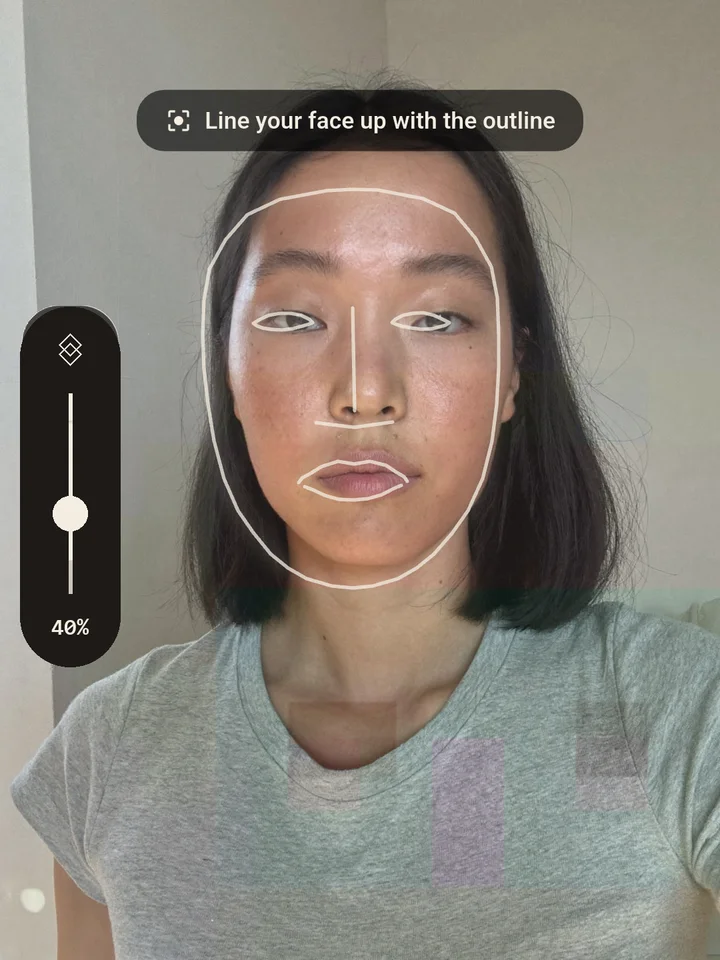
What the camera shows while you line up
When the camera opens, the previous photo sits over the live view at 40% opacity. The slider on the left runs from 0 to 100%: drag it up when your subject and the wall behind it are close in tone, and down when a busy scene makes the two images hard to tell apart.
Face and body projects also draw a live outline, picked from the first photo in the project. The face outline marks the eyes, nose and mouth, and the body guide follows your pose. One hint at a time sits at the top of the screen, such as "Line your face up with the outline" or "Move closer", and a small bubble level appears when the phone is tilted differently from your first shot.
Rooms, objects and plants get the ghost alone, and the app lines those photos up after you save them. A Plant Growth project lines up on the pot rim, so a potted plant lands in the same place every time. How the ghost compares with the grid on an ordinary camera is covered in ghost overlay, grid lines or align it afterwards.
Try the ghost overlay on two sample photos
The two selfies here are samples made for this site. Drag across the image to change how strong the older photo is, the way the slider does in the app, and check whether the eyes and the jaw sit on top of each other.
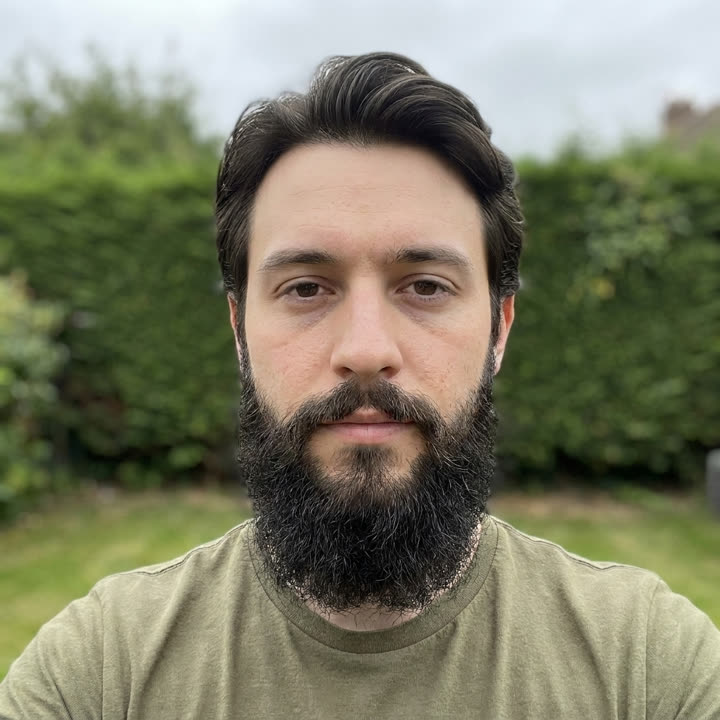
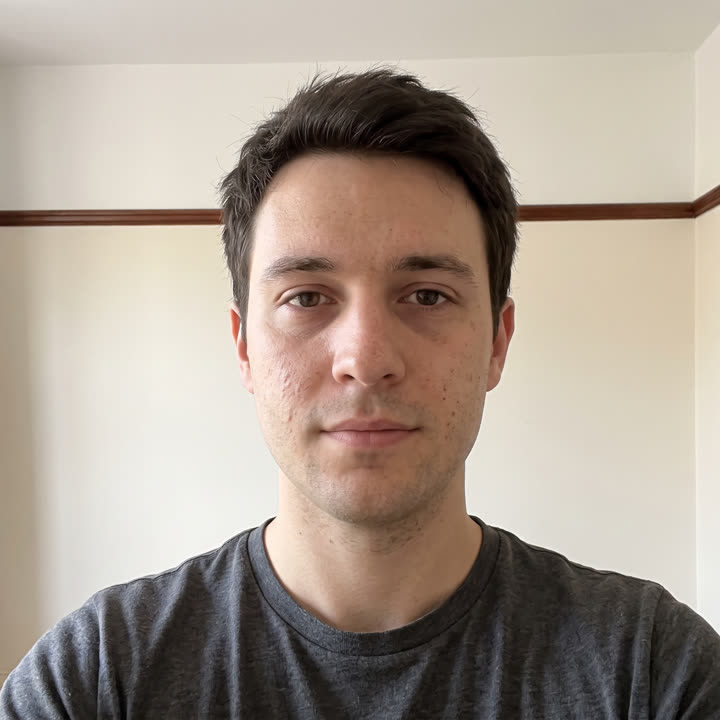
What happens from one photo to the next
- You line up with the ghost. The last photo in the project is the guide, so each session is matched against the one before it. Front, side and back work best as separate projects, each with its own ghost; the free version keeps one project and Premium has no limit.
- Auto capture takes the shot. With it on, the shutter fires by itself once the frame lines up and holds still, so you can stand back from the phone. The self timer is there for a countdown instead.
- Face mode keeps a selfie in place. In a face project, face detection on the phone follows your face, so a daily selfie lands in the same spot whether you take it in the kitchen, the car or a hotel room.
- The app aligns the photo after you save it. Since version 1.0.5, every face, body and object photo is lined up with the first photo in the project, in the viewer, the slider and the video. A thin coloured line on each photo (red, amber or green) shows how well it matched, and the full screen viewer says Good, Fair or Poor. Nothing is retouched, slimmed or smoothed.
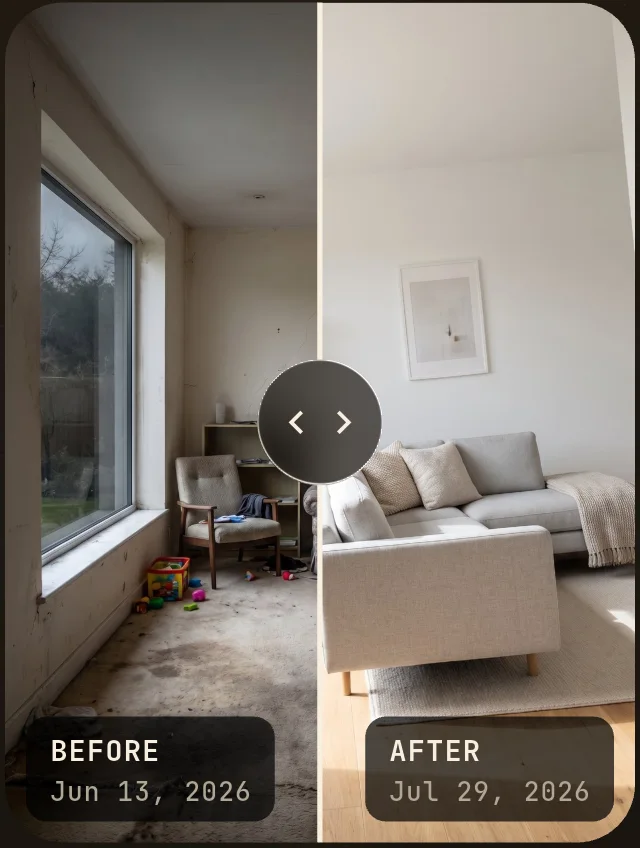
- You compare, then play it back. Drag your thumb across the before and after slider to wipe between the first shot and the latest one. The project page plays every photo in order without exporting, and Create video turns them into one time lapse video in the project's own shape; a project shot in 9:16 is ready for Reels, Shorts and TikTok, and Premium can reframe any project to another shape.
Reminders, projects, measurements and App Lock
These are the parts that keep a project going between sessions. The overlay camera app page has the short version for Android.
- Reminders and streaks
- A reminder on the weekdays you pick, and a streak count that forgives one missed day.
- Date stamps
- Put the date, Day 12 or Week 6 on a video or a before and after image, in one of six positions.
- Measurements and charts
- Type in a number with each photo, such as weight, waist or plant height, and see it as a chart next to the photos.
- Separate projects
- Front, side and back can each have a project with its own ghost. Free keeps one project; Premium has no limit.
- Import old photos
- Bring in photos you already took. They slot into the timeline by the date they were taken.
- App Lock (Premium)
- Fingerprint, face or PIN before the app opens. It is part of Premium and works entirely on the phone.
Questions about the ghost overlay camera
What is an overlay camera?
An overlay camera shows another image on top of the live camera view while you shoot. A ghost overlay camera uses your own previous photo, faded, so you can match where it was taken before you press the shutter. SameShot is a ghost overlay camera for progress photos on Android.
What opacity should the ghost be?
SameShot opens the ghost at 40%, which suits most scenes. Push it higher when your subject and the background are close in tone, and lower when a busy scene makes the two images hard to tell apart. The slider runs from 0 to 100%.
How does auto capture know when I am lined up?
It watches the live camera against your last photo and fires once the frame lines up and holds still. In face and body projects it uses face and pose detection that run on the phone, so no photo is sent anywhere to check the match.
Does SameShot change my photos to line them up?
Yes, it lines them up. Since version 1.0.5 the app aligns each face, body and object photo with the first photo in the project after you take it, and marks how well it matched with a red, amber or green line, plus Good, Fair or Poor in the full screen viewer. There is no retouching, slimming or smoothing.
Can I use photos I already took?
Yes. Import them through the phone's photo picker and they slot into the project's timeline by the date they were taken, cropped to match your first shot. An old photo taken from a different spot may still not match closely, because nothing guided it when it was taken.
Where are my photos kept?
On your phone. SameShot has no photo server and no code that uploads a photo. The app does use the network for usage statistics you can switch off, ads in the free version and an optional sign-in, and none of those carries a photo. The privacy page lists each one.
Get SameShot on Google Play
Start a project today. The first photo you take becomes the ghost that the second one lines up against.

SameShot: Progress Photo Cam
By Appynox, on Google Play

Free with ads; a single Premium payment removes them. Needs Android 8.0 or newer.