
Check whether two progress photos line up
Load two photos, or try a sample pair. Fade the newer photo over the earlier one, drag a wipe across them, or switch to a difference map, where anything that moved between the two shots shows up bright against black.
How to compare
Set the opacity near 50%. If the walls, a door frame or your shoulders show twice, the camera moved between the two sessions.
Lining up the next photo before you take it
Most drift comes from the setup: a step closer, the phone a little lower, the light from another window. The checker shows it after the fact, and the next photo is where you can fix it, by matching the live camera to the last shot before you press the shutter.
SameShot does that on Android. It shows your last photo faint over the live camera, with the opacity on a slider, and auto capture can take the shot once you line up. After each photo it also lines the photo up with the first one, and a thin red, amber or green line on the photo shows how well it matched, with Good, Fair or Poor in the full-screen viewer.
How the ghost overlay camera works How to align progress photos
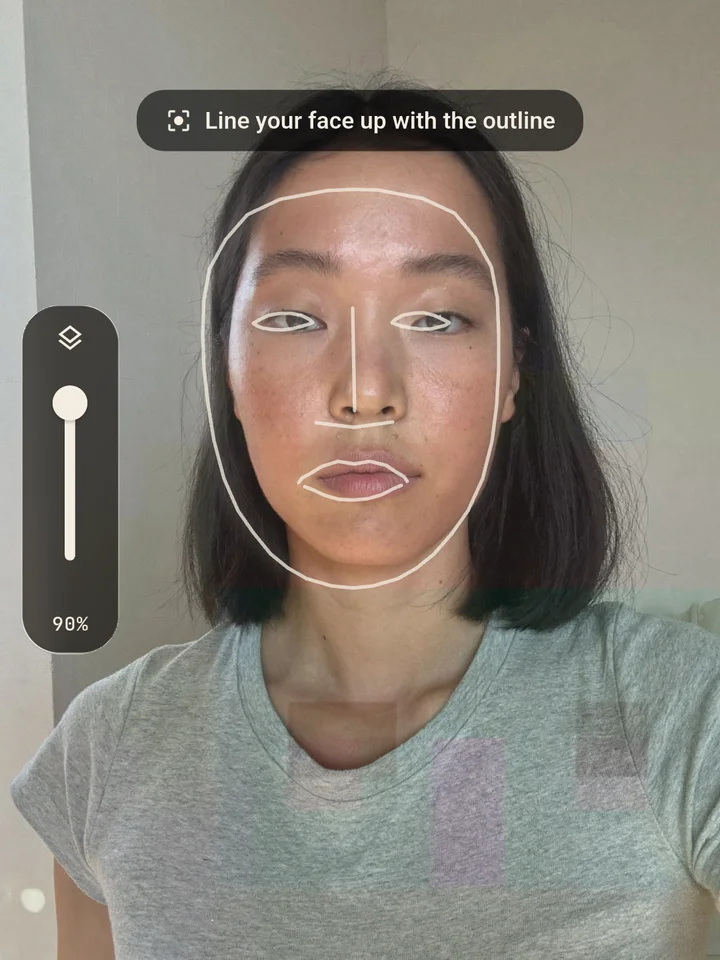
Photo alignment checker questions
Does this tool upload my photos?
No. The checker reads your files with the browser’s FileReader and draws them on a canvas on your own device. They stay in the memory of your phone or computer, are never sent over the network, and are gone when you close the tab.
What does the difference map show?
It subtracts the colour of each pixel in photo B from the same pixel in photo A. Where the two photos match, the result is black. Edges that moved between the shots, a change in the subject and a change in the light all show up bright.
What are the most common causes of misaligned progress photos?
Standing a little closer or farther away, holding the phone higher, lower or tilted, and light coming from a different direction. The first two move the outline of the subject, and the third moves the shadows, which the difference map also shows as bright areas.
How can I keep future photos lined up?
Line up the live camera with the last photo before you press the shutter, from the same spot and height and in the same light. A ghost overlay camera such as SameShot shows the last photo faint over the live view for this. Software can shift, scale and crop a photo afterwards, which SameShot also does after each shot, and the angle the camera saw the subject from stays as it was taken.
Which photos should I compare?
Use photo A for the earlier shot and photo B for the newer one. Comparing each new photo with the first one in the set shows the total drift; comparing it with the one before shows how much the setup moved in a single session.
Get SameShot on Google Play
Your last photo sits faint over the live camera so the next one lines up when you take it.

SameShot: Progress Photo Cam
By Appynox, on Google Play

Free with ads; a single Premium payment removes them. Needs Android 8.0 or newer.