
Monthly baby photos and puppy growth shots from one spot
The first year fills a camera roll and rarely leaves a set you can compare. One repeated frame a month, in the same corner with the same chair, shows how much they grew in a way the rest of the camera roll cannot.
For more on keeping one spot over months of photos, read how to take photos in the same spot every time.
SameShot is a free progress photo app for Android, made by Appynox. The iPhone version is in development.
How often to take baby and pet progress photos
Monthly for babies, weekly for puppies. Babies are usually tracked month by month, and the milestones people care about line up with that. Puppies and kittens change fast enough in their first months that a weekly photo is worth the effort.
Every subject has its own pace; the article on how often to take progress photos compares them side by side.
Baby and pet photo setup: scale, height and patience
-
Keep one object in frame for scale
The same chair, blanket or sofa corner every time. Without a fixed object the eye has nothing to measure growth against.
-
Shoot at their level
Put the camera at the height of the baby or the dog. Shooting down from adult height foreshortens them, and the amount changes as they grow.
-
Expect an imperfect frame
A toddler will not hold a pose, and a dog will not either. Several quick attempts with auto capture beat waiting for a perfect one.
-
Let the reminders keep the date
Reminders run on the weekdays you choose, with milestone reminders at day 7, 30 and 100 and then every month, so the monthly photo does not depend on remembering the date.
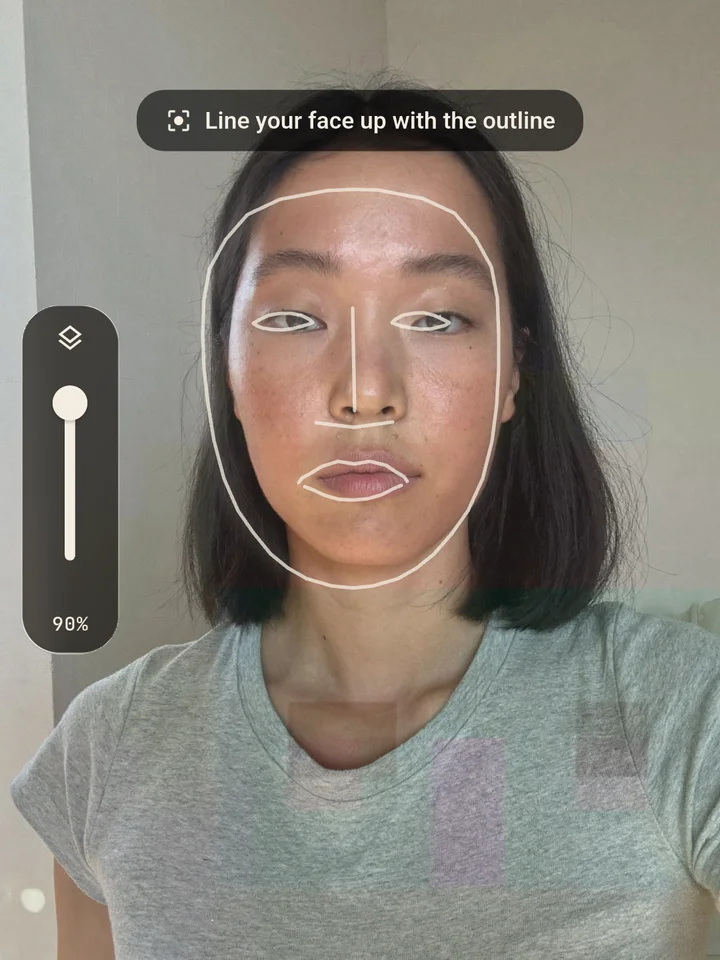
What the camera shows while you line up a baby or pet photo
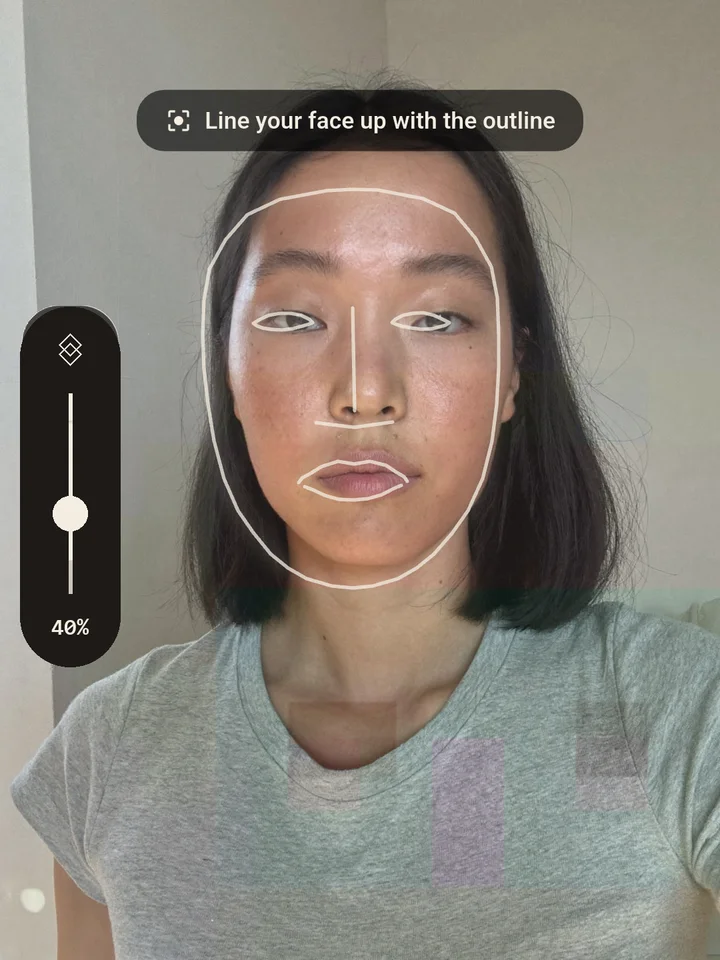
Last month's photo sits faint over the live view, and the slider on the left sets how strongly it shows. A baby or a dog will move, so line up the chair, the blanket and the wall first and then wait for the moment; auto capture and the self timer save you from holding the phone and the baby at once.
- Once you have a year of monthly photos, make the time lapse in your browser.
- For a schedule that fits a baby, a puppy or a kitten, use the photo cadence planner.
Common baby and pet photo mistakes
- Photographing on whatever surface is nearest, so the scale reference changes every month.
- Only taking photos on birthdays and holidays, when everyone is dressed differently.
- Shooting from above for convenience. The angle changes as they get taller.
Baby and pet progress photo questions
How do I take monthly baby photos that compare?
Use the same chair or blanket every month as a size reference, put the camera at the baby's level, keep the same spot and light, and line each new photo up with last month's before you shoot.
Can I use SameShot for a puppy growth time lapse?
Yes. A weekly photo for the first few months works well. Keep a fixed object in frame for scale, shoot at the dog's eye level, and use auto capture so the shutter fires the moment the frame lines up.
Can I add baby photos I already took?
Yes. Import them through the photo picker and they slot into the timeline by the date they were taken. They line up best if they were taken from roughly the same spot.
Other things people track with SameShot
Get SameShot on Google Play
Start a project today. The first photo you take becomes the ghost that the second one lines up against.

SameShot: Progress Photo Cam
By Appynox, on Google Play

Free with ads; a single Premium payment removes them. Needs Android 8.0 or newer.